Internal page link checking
Internal Link Integrity
for Confluence
Before the handoff, check the links. Review internal page links inside Confluence, with clear results and your pages left unchanged.
Marketplace publication pending. This describes the planned 4.0 release build, which is not yet available to customers. Installation and pricing will open after release approval. Please use synthetic examples for inquiries; do not send Confluence content.
Product previews · English & Spanish
See the workflow.
Understand the next step.
Check a page, review uncertain results and see the limits of a broader space check—with your content left unchanged.
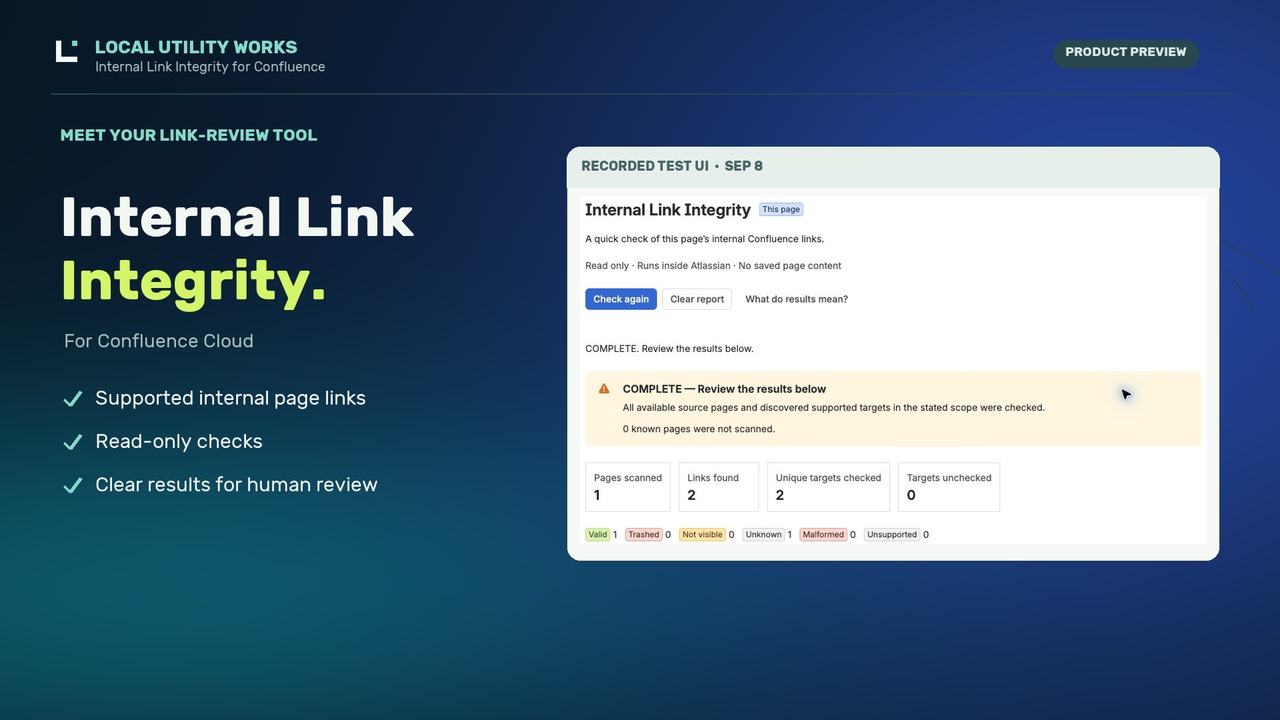
English 1:32
Español 1:44
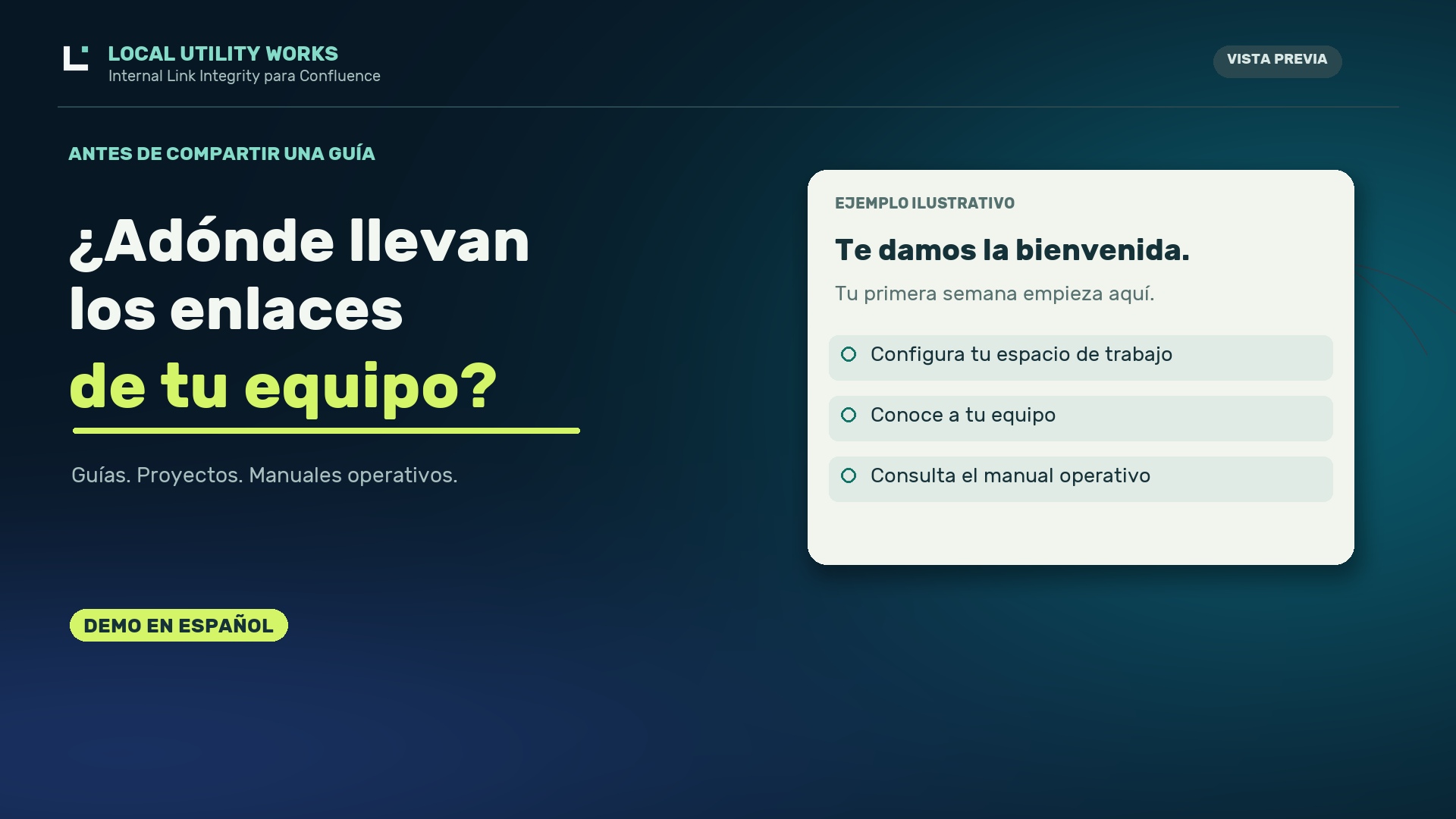
Choose your narration language. Product UI shown in English. Initial launch remains planned for eligible US organizations; a translated preview does not expand availability.
Development footage with synthetic examples. Marketplace release is pending. Initial use requires an eligible US organization and a processing-scope review.
Read the English transcript
Before your next new hire follows a Confluence guide or your team relies on a runbook, check where its internal links lead. Internal Link Integrity, from Local Utility Works, helps you review supported internal page links without changing your content. Here's a typical onboarding guide. Open the checker, choose this page, and run a check. The report brings the results together so you can review destinations that need attention instead of opening every supported link individually. And it keeps an important distinction clear. If Confluence can't verify a destination, Local Utility Works doesn't automatically call it broken. It explains the uncertainty so you can investigate. Need a broader check? You can also check a bounded set of pages within a space. The report tells you whether that check completed or whether some of the scope remains unchecked. Your pages stay untouched. You decide what to investigate and what to change. Organization approval is required before the first scan. For teams maintaining onboarding guides, project documentation, and runbooks, Local Utility Works provides a focused way to review internal links inside Confluence. Go ahead and explore Internal Link Integrity from Local Utility Works today.
Leer la transcripción en español
Antes de que una persona nueva en tu equipo
siga una guía de Confluence,
revisa adónde llevan sus enlaces internos.
Internal Link Integrity, de Local Utility Works,
te ayuda a revisar los enlaces internos compatibles
sin modificar el contenido de tus páginas.
Veamos una guía de incorporación.
Abres la herramienta,
seleccionas esta página e inicias el análisis.
El informe reúne los resultados
para que puedas revisar los destinos que necesitan atención,
sin abrir cada enlace compatible por separado.
Y mantiene una distinción importante.
Si Confluence no puede verificar un destino,
Local Utility Works no lo clasifica automáticamente
como un enlace roto.
Explica la incertidumbre para que puedas investigar.
¿Necesitas una revisión más amplia?
También puedes analizar un conjunto limitado de páginas dentro de un espacio.
El informe indica si terminó la revisión
o si parte del alcance quedó pendiente.
Tus páginas permanecen intactas.
Tú decides qué investigar y qué cambiar.
Cada organización necesita aprobación antes del primer análisis.
Para los equipos que mantienen guías de incorporación,
documentación de proyectos y manuales operativos,
Local Utility Works ofrece una forma práctica
de revisar enlaces internos dentro de Confluence.
Descubre Internal Link Integrity, de Local Utility Works.
From a finding to your next action
Find the uncertainty.
Make the right fix.
An onboarding guide points somewhere unexpected. The checker brings the evidence together; the page owner decides what to change.
Illustrative workflow using made-up pages. This is not a live scan, a customer result or a promise that every finding needs an edit.
- 01 / FINDING
A link needs review
New-hire checklistUnknownThe target returned an ambiguous not-found response. It could be missing or inaccessible. Do not assume it was deleted.
- 02 / OWNER CHECK
Confirm, then edit
Page owner confirmsNew destinationIn this example, the owner confirms a replacement guide. You update the source link manually in Confluence and publish the page.
- 03 / RECHECK
Verify the new target
Replacement guideValidA fresh check reads the matching page for your account. Review coverage too: Valid does not prove everyone has access or the content is correct.
No automatic repair, permission change or restoration. If the original issue is access, investigate access instead of replacing the link.
A small step before you share
A clearer handoff starts with a check.
For documentation owners reviewing an onboarding guide, project handover or team knowledge base. Check supported page links on the same Confluence site using your own access.
- Choose what to check.Start with a saved page or request a bounded space scan. You choose when it runs.
- Review the evidence.See result labels alongside coverage and stop reasons. An uncertain answer stays uncertain.
- Decide what needs attention.Review the source link, ask a page owner about access, or investigate an unresolved target. Any edits stay in your hands.
Check this page
Open a published page and choose More actions → Apps → Check this page. Opening the action starts the check only after organization approval, context and entitlement validation.
Reads the saved page. Unpublished editor changes are not included.
Check this space
Open Internal Link Integrity in the space’s Apps area, then select Check this space. The check begins only when you request it.
A bounded scan of caller-visible source pages, with explicit coverage and stop reasons.
Read-only by design
Check with confidence.
Keep control of every edit.
The planned release runs in Atlassian Forge. It reads supported page content as the current user, stores a small organization-approval record, and checks the requesting administrator for organization-record export. See the three requested permissions and their purposes.
No automatic edits, link rewriting, page restoration, or permission changes. Any follow-up action is yours to take in Confluence.
There is no external application backend, external website crawling, scheduled crawler, or Local Utility Works customer-content database.
Page bodies are processed transiently in Forge. The current report can be downloaded as JSON while it is available. Clearing or closing the view removes that view’s report; downloaded copies remain under your control. There is no saved scan-history archive. Minimal approval metadata is stored separately. Review permissions, data handling and security.
Coverage is part of the answer
Know what was checked.
COMPLETE
The available caller-visible source scope was exhausted and discovered supported targets received responses without a coverage stop.
It does not mean every link is Valid, that hidden pages were checked, or that the entire site is covered.
PARTIAL
A limit, source failure, interruption, or other coverage stop left the scan incomplete. Reaching 100 source attempts or 500 unique targets always returns PARTIAL, even when all known work was checked.
Known zero unchecked counts remain zero. An unknown remainder is never represented as zero.
The page check uses one source page and the same target, time, and content bounds. A new space check starts fresh; it does not automatically continue through the next portion of a large space. See all scan limits.
Make the next decision clearer
A result you can act on.
A failed lookup alone does not prove a link is broken. Distinguish a confirmed result from an access issue, an unsupported link or work that could not finish.
For example, Unknown means a missing page and a page you cannot access could not be reliably distinguished. Investigate before changing a link or asking someone to restore a page.
See every result label and what it means
On a narrow screen, scroll the table horizontally if needed. With a keyboard, focus the table and use the arrow keys.
| Result | What it means |
|---|---|
| Valid | A readable response identifies the matching page in a current or archived state. This is a point-in-time result for your access; it does not validate the content or a heading fragment. |
| Trashed | A readable response with matching page identity explicitly confirms recoverable trash. A failed lookup alone never establishes this result. It does not prove permanent deletion. |
| Not visible | An authoritative access denial was returned. The target is restricted or not visible to this request. This does not prove the page exists or has been deleted. |
| Unknown | The available evidence cannot resolve the target. An ambiguous 404 remains Unknown because missing and inaccessible content cannot be reliably distinguished. |
| Malformed | The internal URL is invalid or ambiguous, for example because its page identifier is invalid. Review the address in the source page. |
| Unsupported | The URL or content representation is outside the checker’s supported scope. It has not been certified as valid or faulty. |
| Unchecked / Partial | Unchecked describes a discovered supported target without a completed response before the scan stopped. PARTIAL describes scan coverage. Read the stop reason and known unchecked counts; neither is a link-failure verdict. |
A deliberate scope.
Supported links identify Confluence pages on the same site by numeric page ID. Targets can be in another space if your permissions allow access.
External websites, other sites, attachments, blogs, email links, short links, dynamic macro output, and unsupported content forms are outside the checker. Heading fragments are not validated.
Supported formats and examplesHelp when you need it.
Find installation steps, explanations, scan limits, and troubleshooting in the user guide. Product support is available in English with a target initial response within two business days.
The response target is not an SLA or a resolution guarantee.
Support policyChoose the tool for the job
A focused check, when you need one.
A good fit for a deliberate review.
You want to check internal page references before sharing a guide, investigate a page someone cannot reach, or review a manageable space. You value visible limits and control over what happens next.
Need a broader maintenance tool?
If your priority is scheduled monitoring, external website checks, bulk repairs or a saved audit history, look for a tool with those capabilities. This app focuses on on-demand internal page checks in Confluence Cloud.
Why use this instead of asking an AI assistant?
An AI assistant can explain errors or help write a checker. With the right access and tools, it can also perform checks. Internal Link Integrity provides a ready-made Confluence workflow: repeatable result rules, checks made with the current user’s access, and explicit coverage limits. You do not need to paste page content into a chat to run it.
Will a Valid result mean everyone can open the page?
No. It means the matching page was readable for the person running the check at that time. Colleagues may have different permissions. It also does not prove the link points to the intended content or that a heading fragment works.
How will pricing and scan limits work?
The approved plan is free for installations with up to 10 licensed Confluence users. Above 10, billing will be based on the installation’s licensed user count, including people who do not run checks. The first 10 users are not a free block on a paid installation.
Free and paid installations will have the same features and scan limits. Payment will not unlock larger scans or continuing through the rest of a space. Exact prices and installation links will be available with the published Marketplace listing; there is nothing to purchase here today.
Marketplace availability
The Marketplace listing and pricing are not published yet. Installation and pricing links will become available after publication.
Tell us your organization’s country, approximate Confluence user count and the kind of check you need. Please use synthetic examples and leave out customer names, page content, credentials and personal data. Emailing us does not enroll you in a mailing list.